Live captions for your stream
Show what you say alongside a translation in your OBS scene.
Speech recognition
Choose from 16 spoken languages, or use multilingual recognition when you switch languages on air.
EN · JA · ZH · DE
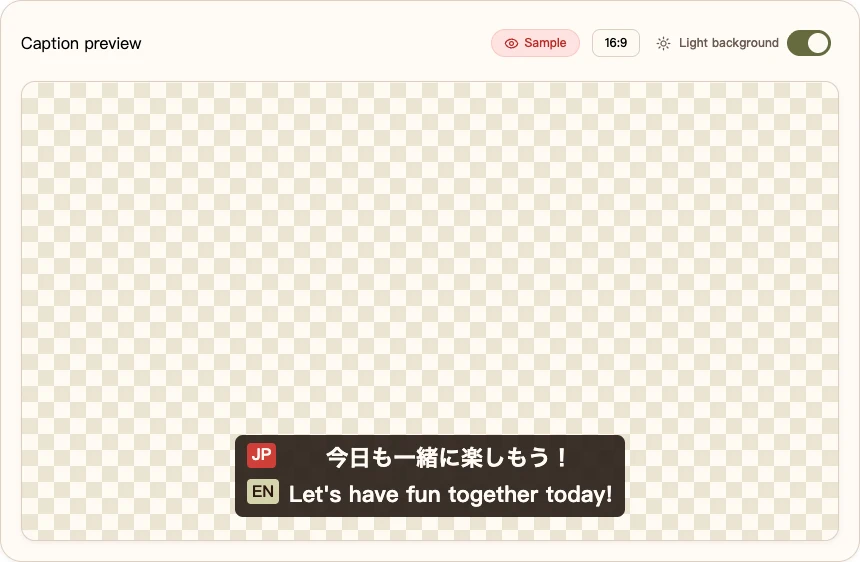
Try two lines from a stream
Adjust captions to fit your scene
Speaking order
Keeps each sentence with its translation: original 1 → translation 1 → original 2 → translation 2.
Characters per line
Wrap after 1–120 characters. Set 0 for natural line wrapping.
Fit long captions
Reduce the text size when needed to fit the preview or OBS area.
Transparent caption background
Remove the caption box fill and border. A fine outline keeps the text readable.
Display duration
How long completed captions remain visible. The style sample stays visible while you edit.
Newest captions on top
Show the newest sentence above earlier captions.
Glossary entries
Enter a word to keep its spelling, or use source -> translation or source = translation to set a preferred translation. Separate up to 50 entries with line breaks or commas. Changes apply when the microphone connection starts or reconnects. The translation service can still vary the wording.
OBS overlay
Paste your own overlay URL from the workspace. Keep this link private. Set up captions in OBS