
Why We Built DubMochi: Bridging Language Barriers in Real-Time Live Streams
Discover the origin story of DubMochi, designed to bring real-time live stream translation and original dual-language transcripts directly into creator OBS scenes.
SymphonyIceAttack
On this page
- The Missed Punchline: A Live Stream Scene
- Why Real-Time Timing Matters in Live Conversation
- Language Boundaries and Global Community Dynamics
- The Core Mission Behind Building DubMochi
- Preserving Context: Displaying Original Speech Alongside Translation
- Session-Based Translation Architecture
- Seamless Scene Integration via OBS Browser Source
- Streamlining the Creator Workflow in Four Simple Steps
- Deconstructing the Japanese-to-English Live Overlay Experience
- Empowering Global Live Communities: Watch the Demo
- Frequently Asked Questions
- Why was DubMochi built specifically for live streaming instead of pre-recorded video?
- Why does DubMochi display both the original text and the translated text?
- Can creators select multiple translation target languages simultaneously in one session?
- How do creators add DubMochi captions to their stream scene?
The Missed Punchline: A Live Stream Scene
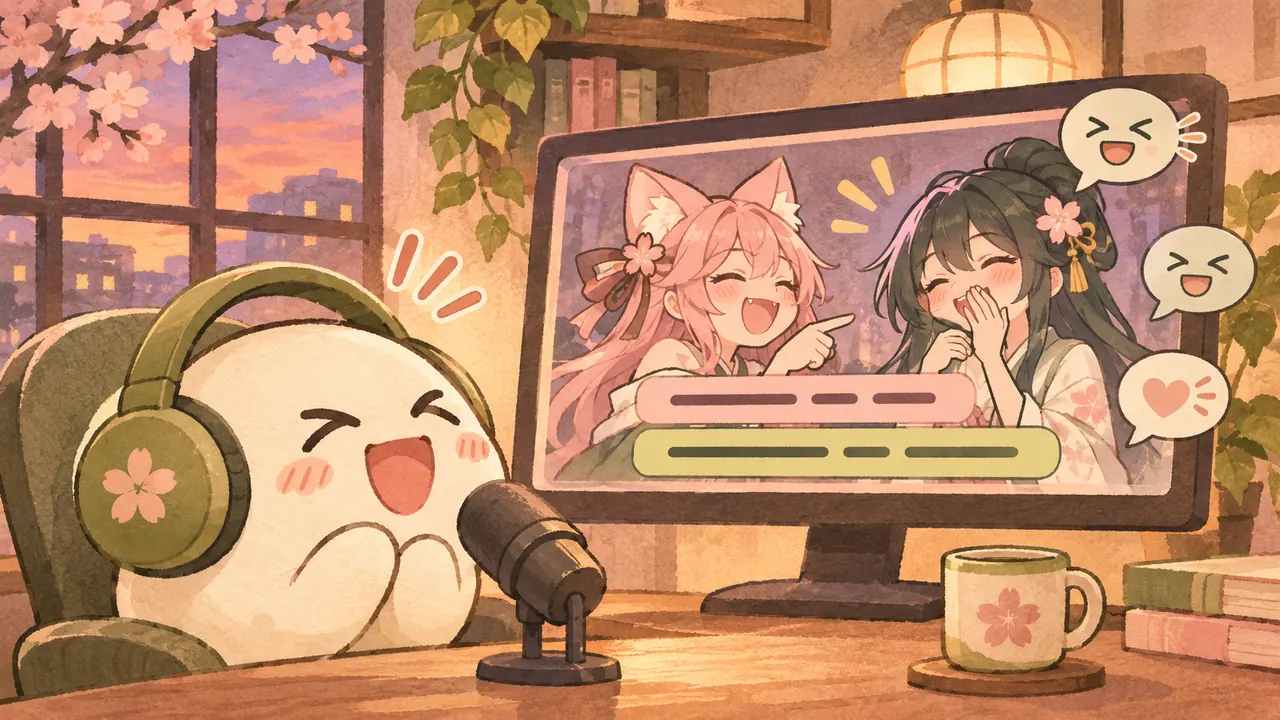
We built DubMochi after observing a recurring point of friction in global streaming: during high-energy live broadcasts, non-native viewers consistently miss comedic timing and visual reactions due to caption delay. Imagine tuning into a Japanese stream with English captions where the creator delivers a sudden, fast-paced joke or reacts to an unexpected in-game event. Native-speaking viewers instantly fill the chat with laughter, while English speakers wait several seconds for text to appear, receiving the translation long after the emotional beat has passed.
This disconnect breaks the core value of live broadcasting, which relies on synchronized community reactions. When real-time stream reaction falls out of sync, global audiences feel like passive observers rather than active participants in the channel. Understanding this gap is central to why we built DubMochi. Delayed translation forces creators to either slow down their speech artificially or accept that a significant portion of their audience will remain out of the loop during organic banter.
To restore shared viewer experiences, we designed DubMochi to reduce delay in live stream translation. By pairing live translation with a customizable OBS overlay and a dual-language display, creators can broadcast in their native language while giving international fans context as the conversation unfolds. Shorter delays give more viewers a chance to react together.
Why Real-Time Timing Matters in Live Conversation
In live streaming, conversational flow relies entirely on immediate context, where even a few seconds of delay can detach international viewers from the shared experience of live chat. Unlike post-production subtitles that are synthesized after an event concludes, live stream interaction demands instant comprehension so that every viewer can participate in moments as they unfold.
When subtitles lag behind audio, non-native speakers can receive jokes or quick reactions after the rest of the stream community has moved on. Live translation has to process natural speech quickly enough to keep up with the conversation. DubMochi streams caption updates as they become available so viewers can follow along during fast-paced broadcasts.
The DubMochi OBS Overlay displays live captions directly in the broadcast scene. With Dual-Language Display, viewers can read the speaker's original transcript alongside the translation and use that context to join the conversation in chat.
Language Boundaries and Global Community Dynamics
When broadcast creators scale to international audiences, navigating community expectations across language barriers becomes a delicate balance. Attempting to bridge this gap by switching spoken languages entirely often alters a creator's delivery, while using English stream titles for non-English broadcasts creates immediate friction for global viewer retention.
A common point of confusion in multilingual streaming occurs when click-through traffic meets a language mismatch. Viewers click on English stream titles only to discover a broadcast conducted entirely in Japanese or another native language, leading to quick churn. Conversely, when creators force themselves to switch to English to accommodate chat, community expectations shift dramatically. For instance, a Japanese creator might have to abandon their natural comedic timing and cultural nuance, transforming their identity on stream simply to communicate basic vocabulary.
Authentic self-expression requires allowing creators to speak naturally in their primary language while giving global viewers immediate accessibility. This exact challenge inspired how we designed our system. By implementing the DubMochi OBS Overlay powered by our Live Translation Engine, streamers can retain their unscripted voice without alienating non-native speakers. Through a Dual-Language Display that presents transcriptions alongside real-time translations, creators maintain high audience engagement without sacrificing the genuine personality that built their community.
The Core Mission Behind Building DubMochi
When evaluating why we built DubMochi, our fundamental objective was to enable creators to speak naturally in their native language while keeping global audiences fully engaged in real time. Existing stream translation design relied heavily on clunky external chat bots or post-production plugins, failing to serve the immediate, fast-paced demands of live broadcast environments.
We realized that live creator tools needed to fit directly into the broadcast workflow. With live translation, creators can speak in their natural voice and reach viewers who speak another language. Showing the original transcript alongside translated text helps those viewers follow jokes and reactions while they're still being discussed in chat.
By embedding this capability seamlessly into the DubMochi OBS Overlay, we removed the friction of managing secondary chat widgets or third-party web pages. This focus on native broadcast integration defines the broader DubMochi vision: empowering streamers to cultivate vibrant cross-cultural communities directly within the software scene they already rely on every day.
Preserving Context: Displaying Original Speech Alongside Translation
We designed DubMochi with a Dual-Language Display mode to present the creator's original speech transcript alongside the live translation. By showing the Japanese transcript next to the English translation, viewers can compare the two and pick up nuances in the original phrasing.
Machine translation can occasionally smooth over localized slang, puns, or emotional inflections. DubMochi keeps the original transcript available on screen so viewers can check the phrasing for themselves. This dual-language layout also gives language learners in chat a direct way to follow along.
| Feature Aspect | Single-Language Overlay | DubMochi Dual-Language Display |
|---|---|---|
| Nuance and Tone | The translation can miss slang and wordplay | The original transcript provides extra context |
| Community Engagement | Viewers only see translated target text | Language learners can follow Japanese and English captions and participate in chat |
| Comparing Phrasing | Viewers rely on the translated text | Viewers can compare the translation with the original transcript |
| Stream Integration | Basic target text line | DubMochi OBS Overlay rendering side-by-side or stacked dual subtitles |
Session-Based Translation Architecture
DubMochi uses one translation target per live caption session. Creators choose the spoken language and translation target before starting captions. They can also choose Original only to display the transcript without a translation.
In microphone mode, a single streaming connection handles transcription and translation. DubMochi sends both to the OBS overlay as caption updates arrive.
The overlay renders captions as a web page in OBS. Creators can adjust placement, line wrapping, and font size to fit the scene.
Seamless Scene Integration via OBS Browser Source
We designed DubMochi to fit effortlessly into existing streaming setups by delivering real-time captions directly through standard web overlays. Creators can place live caption overlays directly inside OBS Studio scenes without installing custom plugins or setting up complex third-party desktop capture loops.
To complete the DubMochi setup, broadcasters copy their overlay link from the DubMochi workspace and add it using the standard steps described in the OBS Browser Source documentation. This setup allows creators to preserve their existing live stream layout and broadcast software workflows while introducing our Dual-Language Display to international audiences.
Because the DubMochi OBS Overlay operates as a web layer, creators can adjust caption positioning, background transparency, and text size to suit their scene.
Streamlining the Creator Workflow in Four Simple Steps
DubMochi fits into your existing OBS scene through a Browser Source.
- Sign in and open the DubMochi workspace.
- Choose your spoken language and a translation target.
- Copy your overlay link and paste it into an OBS Browser Source.
- Select Start captions, allow microphone access if prompted, and speak. Check that both languages appear in your OBS scene before you go live.
For Browser Source settings and a pre-stream checklist, see our step-by-step DubMochi setup guide.
Deconstructing the Japanese-to-English Live Overlay Experience
The DubMochi OBS Overlay renders real-time audio into a structured Japanese to English demo frame tailored specifically for live stream broadcasts. Driven by our Live Translation Engine, the Dual-Language Display simultaneously renders original Japanese transcriptions alongside real-time English translations in a clean, unified stream visual overlay.
In the stacked layout, the Japanese transcript appears above the English translation. This structure allows native speakers and language learners to cross-reference spoken phrasing while English-speaking viewers follow the conversation.
Against busy gameplay or shifting backgrounds, creators can use the caption panel or choose a transparent background with outlined text. Adjusting line wrapping and placement helps keep the captions readable and clear of important gameplay elements.
Empowering Global Live Communities: Watch the Demo
We created DubMochi to help streamers reach audiences across languages during spontaneous broadcast moments. With live captions and translation inside the OBS overlay, creators can speak naturally in their primary language while international viewers follow along.
We want more viewers to be able to join the conversation while the stream is happening.
Experience how real-time live captioning elevates global streaming by exploring the DubMochi live demo. Test the overlay integration today, bring multi-language captions into your next stream, and build a unified global community from the moment you go live.
Frequently Asked Questions
Why was DubMochi built specifically for live streaming instead of pre-recorded video?
We built DubMochi for live broadcasts because viewers need context while a moment is unfolding. The OBS overlay displays captions and their translation as they become available so international viewers can follow along and participate in chat.
Why does DubMochi display both the original text and the translated text?
The original transcript gives bilingual viewers and language learners a way to check slang, phrasing, and wordplay that may come across differently in the translation.
Can creators select multiple translation target languages simultaneously in one session?
Each live caption session supports one translation target. With original captions enabled, the overlay can show both the original transcript and the translation.
How do creators add DubMochi captions to their stream scene?
Copy your private overlay link from the DubMochi workspace and paste it into an OBS Browser Source. Start captions in DubMochi to see them appear in the OBS scene.